See inside HDF and netCDF files in seconds
HDF Explorer is a native Windows viewer for scientific data files. Browse the file as a tree, open any dataset as a grid of numbers, and turn arrays into scalar and vector images with your own palettes.
- HDF4
- HDF-EOS
- HDF5
- netCDF
- Windows
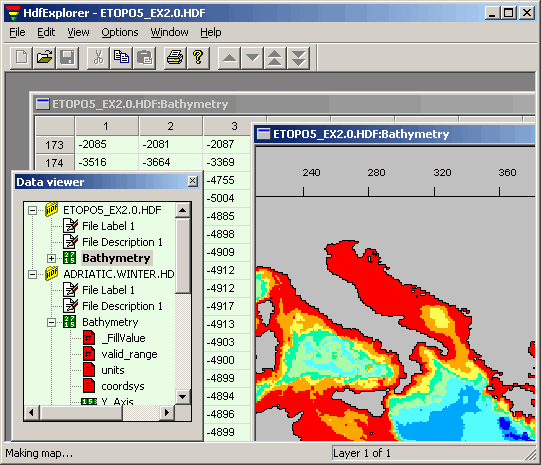
Fast tree view
Open a file and its contents appear as a tree. Data loads only when you open a view.
Grid view
Any dataset as rows and columns of numbers.
Scalar & vector images
Colour maps with built-in or custom palettes, and vector fields from two datasets.
Export
Data to ASCII text, images to BMP or WMF, or either one to the clipboard.
Formats
HDF Explorer reads the Hierarchical Data Format in all its common forms (HDF4, HDF-EOS and HDF5) and netCDF. HDF was developed at the University of Illinois at Urbana-Champaign and is maintained by The HDF Group; netCDF comes from UCAR in Boulder, Colorado. Both are self-describing, platform-independent formats for array-oriented data, widely used for satellite, climate and ocean data.
Get started
Download the installer, request a free evaluation licence, and open one of the sample files from the tutorials or the data gallery. The online help walks through every view.